Home »
Dictionary
What is AirDrop?
By Anushree Goswami Last updated : June 02, 2026
AirDrop
AirDrop is a wireless file-sharing service developed by Apple for macOS and iOS devices. It allows users to quickly and securely transfer files between nearby Apple devices without requiring cables, email attachments, or external storage devices.
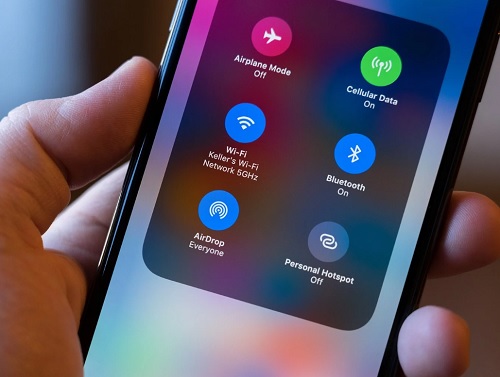
Normally, files can be shared through text messages, email, or cloud storage services, but for Apple users, AirDrop provides a much faster and more convenient way to transfer content directly between devices.
What Can You Share Using AirDrop?
Many people think that AirDrop is only used for sharing photos, but it can transfer a wide variety of content. Almost anything that can be shared on an Apple device can be sent using AirDrop.
For example, if you are browsing a website on your iPad and want to share an important link with your friend, you can simply AirDrop the link to your friend's iPhone. The recipient can open the link instantly without needing to copy and paste it manually.
Using AirDrop, you can easily share:
- Photos
- Videos
- Audio files
- Documents
- Website links
- Text content
- Contact information
- Playlists
- Map locations
- Notes and other supported files
How AirDrop Works
AirDrop is built into every supported macOS and iOS device, so there is no need to install any additional software. It uses wireless technologies such as Bluetooth and Wi-Fi to establish a secure connection between devices.
On macOS devices, AirDrop primarily operates through a direct Wi-Fi connection. On iOS devices, it uses both Bluetooth and Wi-Fi to discover nearby devices and transfer files efficiently.
Bluetooth is used to detect nearby devices and establish a connection, while Wi-Fi is used to transfer the actual data at high speed.
AirDrop Technology
To create a secure peer-to-peer network between devices, AirDrop combines Bluetooth and Wi-Fi technologies. This allows files to be transferred directly between devices without requiring an internet connection.
In Android devices, similar file-sharing functionality is often achieved through a combination of Bluetooth and NFC (Near Field Communication) technologies.
AirDrop Range and File Size Limit
One of the major advantages of AirDrop is that there is generally no practical file size limit imposed by the service itself. Users can transfer large photos, videos, and documents with ease.
However, for successful file transfers, both devices must remain within approximately 10 meters (33 feet) of each other.
AirDrop Compatibility
AirDrop is available only on supported Apple devices and operating system versions.
macOS Support
AirDrop is supported on macOS Lion (version 10.7) and later versions of macOS.
iOS Support
The following iOS devices support AirDrop:
- iPhone 5 and later models
- iPad Air and later models
- iPad mini and later models
- iPad (4th generation) and later models
Benefits of AirDrop
AirDrop offers several advantages:
- Fast wireless file transfers
- No internet connection required
- Secure peer-to-peer communication
- Easy sharing of multiple file types
- No need for email attachments or USB drives
- Built-in support on compatible Apple devices
Summary
AirDrop is Apple's built-in wireless file-sharing feature that enables quick and secure transfer of files between nearby Apple devices. Whether you want to share photos, videos, documents, contacts, playlists, or web links, AirDrop provides a simple and efficient solution without requiring cables, email, or external storage devices.