Home »
Python »
Python Data Visualization
Python | Step Line Plot
In this tutorial, we are going to learn how to create a Step-Line plot using matplotlib?
Submitted by Anuj Singh, on August 03, 2020
The Step Plot is one the most used data visualization techniques used in discrete analysis and Matplotlib has provided a function for Step plotting i.e. matplotlib.pyplot.plot(ls='steps').
The following are the few examples to illustrate how to use Step Line Plot in matplotlib?
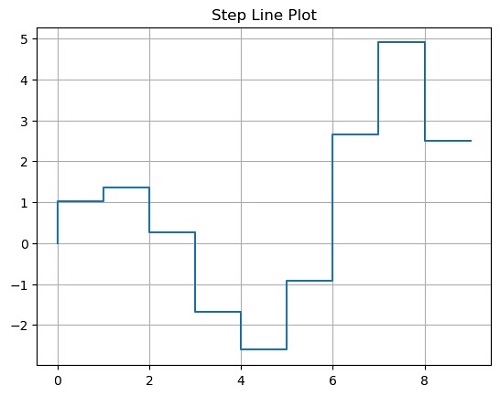
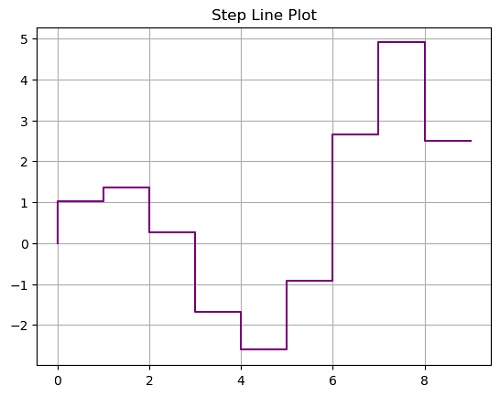
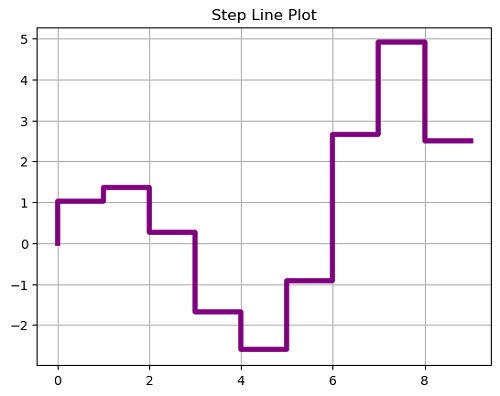
Python code for step line plot
import numpy as np
import matplotlib.pyplot as plt

x = np.arange(10)
y = np.sin(x)*np.exp(x/5)

plt.figure()
plt.plot(x,y, ls='steps')
plt.title('Step Line Plot')
plt.grid()
plt.show()

plt.figure()
plt.plot(x,y, ls='steps', color=  'purple')
plt.title('Step Line Plot')
plt.grid()
plt.show()

plt.figure()
plt.plot(x,y, ls='steps', linewidth=4.0, color=  'purple')
plt.title('Step Line Plot')
plt.grid()
plt.show()

plt.figure()
plt.plot(x,y, ls='steps')
plt.plot(x,-(y+0.5), ls='steps')
plt.title('Step Line Plot')
plt.grid()
plt.show()
Output:
Output is as figure