Home »
Python »
Python Programs
Pandas, Future Warning: Indexing with multiple keys
Learn, how can we get rid of the Pandas, Future Warning: Indexing with multiple keys?
Submitted by Pranit Sharma, on September 17, 2022
Pandas is a special tool that allows us to perform complex manipulations of data effectively and efficiently. Inside pandas, we mostly deal with a dataset in the form of DataFrame. DataFrames are 2-dimensional data structures in pandas. DataFrames consist of rows, columns, and data.
Future Warning: Indexing with multiple keys
Pandas usually throw a Future Warning on applying a function to multiple columns of a groupby object. It also suggests to use a list as index instead of tuples.
Also, it sometimes raises a key error if we use multiple columns of groupby object.
Python code to demonstrate Pandas, Future Warning: Indexing with multiple keys
# Importing pandas package
import pandas as pd

# Creating dictionary
d = {'col':[[10,20,30],[11,12,13],[21,22,23]]}

# Creating DataFrame
df = pd.DataFrame(d)

# Display Original DataFrames
print("Created DataFrame:\n",df,"\n")

# Applying groupby
df.groupby([0,1])[1,2].apply(sum)
Output:

How to fix Future Warning: Indexing with multiple keys?
To get rid of this error, we need to use double brackets after the groupby method. Single brackets are used to output a Pandas Series and double brackets are used to output a Pandas DataFrame.
Let us understand with the help of an example,
Python code to fix Pandas, Future Warning: Indexing with multiple keys
# Importing pandas package
import pandas as pd

# Creating dictionary
d = {'col':[[10,20,30],[11,12,13],[21,22,23]]}

# Creating DataFrame
df = pd.DataFrame(d)

# Display Original DataFrames
print("Created DataFrame:\n",df,"\n")

# Applying groupby
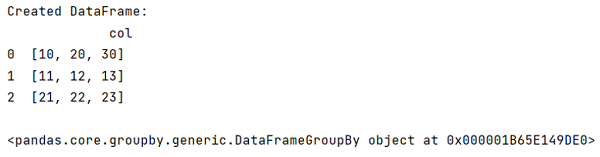
res = df.groupby('col')

# Display result
print(res)
Output:
Python Pandas Programs »