Home »
Python »
Python Programs
What's the correct and efficient way to flatten NumPy array?
Learn about the correct and efficient way to flatten NumPy array.
By Pranit Sharma Last updated : December 26, 2023
Problem statement
Suppose that we are given a 2D NumPy array and we need to make this array flat.
Flattening a NumPy Array
We can use different approaches to flatten an array like using flatten() function on a casted list but it is inefficient because we need to cast the array into a list first.
But in NumPy, we have two methods i.e., numpy.flatten() and numpy.ravel(). Both return a 1-d array from an n-d array.
Also, if we do not want to modify the returned 1-d array, it is recommended to use numpy.ravel(), since it does not make a copy of the array, but just returns a view of the array, which is much faster than numpy.flatten.
Let us understand with the help of an example,
Python code to flatten NumPy array
# Import numpy
import numpy as np

# Creating a numpy array
arr = np.arange(100).reshape((10,10))

# Display Original array
print("Original array:\n",arr,"\n\n")

# Using arr.flatten
res = arr.flatten()

# Display result
print("Flatten Result:\n",res,"\n\n")

# Using arr.ravel
res = arr.ravel()

# Display result
print("Ravel Result:\n",res)
Output
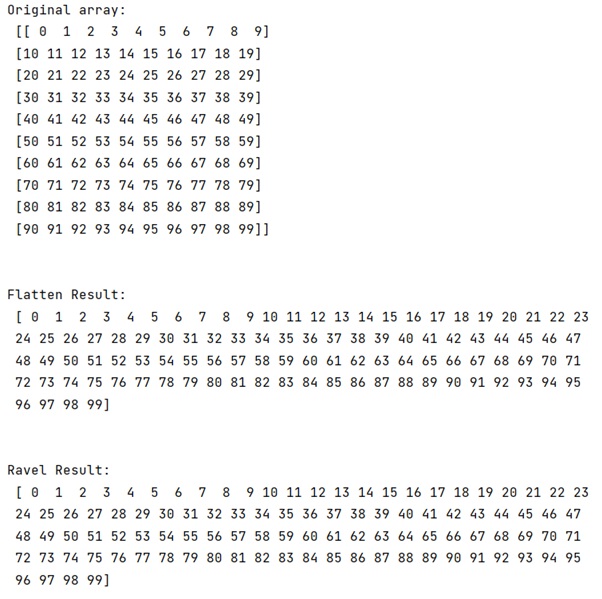
In this example, we have used the following Python basic topics that you should learn:
Python NumPy Programs »